

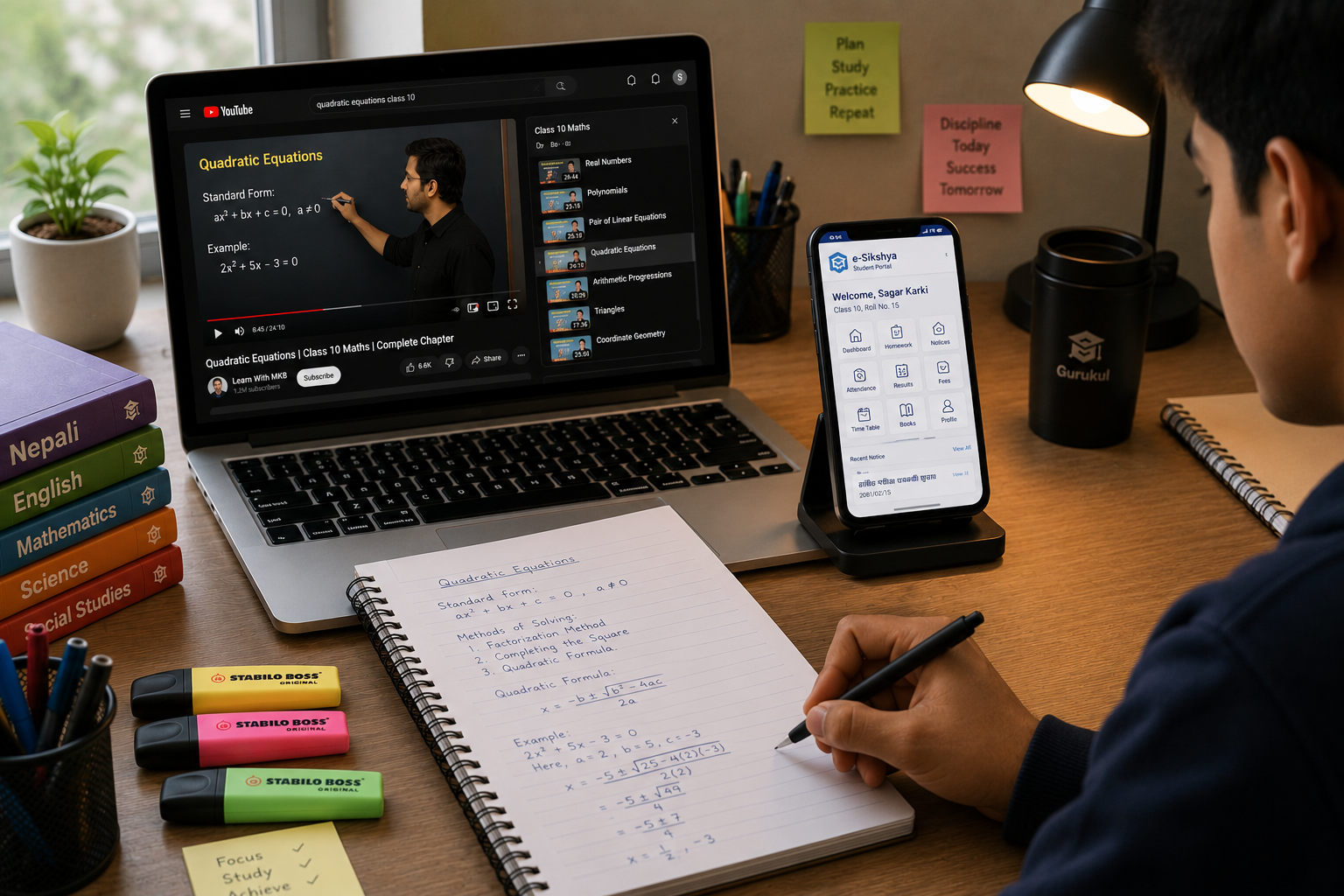
Nepal's students have never had access to more learning resources than right now.
YouTube channels that teach the exact SEE and NEB syllabus. AI tutors that explain any concept in Nepali. Free practice tests. Digital student portals that track your homework, exams, and attendance. Online libraries.
The challenge is not scarcity of resources. It is figuring out which ones are actually useful - and how to use them without getting distracted or overwhelmed.
This is a guide to the digital learning tools that actually work for Nepal school students, organized by what you are trying to do.
Your School's Student Portal: Start Here
If your school uses a digital student management system like Gurukul, your student portal is the most important digital tool in your academic life. Everything that matters for your school is in one place.
What to use it for:
- Checking your homework assignments (with due dates, descriptions, and attached files)
- Submitting homework digitally and getting feedback
- Viewing your attendance percentage - so you are not surprised at the end of the term
- Checking exam schedules before they are posted on the notice board
- Seeing your grades and marks from internal exams
- Reading school announcements without relying on someone to tell you
The habit that works: Open your student portal every day. Make it as automatic as checking your phone. Homework assigned, exam coming, attendance dropping - you will know immediately instead of finding out from someone else.
Common mistake: Many students open the portal only when they remember, or only when they hear something is due. They miss homework assignments, miss exam notices, and are surprised by their attendance percentage at the end of the term. Daily check-in prevents this.
Vidya: AI Tutoring in Nepali and English
Vidya, Gurukul's built-in AI tutor, is covered in more detail in our AI tutoring guide. Here is the summary of when to use it:
Best uses:
- When you are confused about a concept and cannot ask a teacher
- When you want to generate practice questions on a specific topic
- When you want feedback on written work (essays, compositions)
- When it is late at night and no human help is available
Key strength: Works in both Nepali and English. You can switch mid-conversation.
Important limitation: It sometimes makes mistakes. Verify important answers against your textbook or teacher.
YouTube: Curriculum-Specific Learning
YouTube has a large amount of educational content for Nepal's curriculum. But not all of it is the same quality, and finding the right channels takes some searching.
What to look for in a YouTube channel for NEB/SEE content:
- Content that explicitly mentions the NEB or SEE syllabus
- Clear explanations in Nepali or Nepali-English
- Topics organized by subject and chapter (not random videos)
- Recent uploads (curriculum updates can make older explanations outdated)
How to use YouTube effectively for studying: Watch with a notebook open. Do not passively watch - pause and try to explain what was just shown before the video continues. When the video works through a problem, pause before the solution and try it yourself.
YouTube works best for concepts you cannot understand from the textbook alone. For topics you understand but need practice, you need exercises - not more explanation videos.
What YouTube is not good for:
- Practice problems (you need to actually work problems, not watch them solved)
- Writing skills (no substitution for writing practice)
- Retention (watching something once rarely produces durable memory - you need active recall)
Khan Academy (Free, Extensive)
Khan Academy (khanacademy.org) is a free online learning platform with comprehensive coverage of mathematics and sciences from basic to advanced levels.
Strengths:
- Completely free, no account required to watch
- Videos plus practice exercises - the combination of watching and doing
- Immediate feedback on practice problems
- Mathematics coverage is particularly strong
Limitations for Nepal students:
- Most content is in English only
- Not specifically aligned to the NEB/SEE curriculum - some topics may be covered differently or in a different order than your textbook
- The progression assumes a specific curriculum sequence that may not match your school's
Best use for Nepal students: Supplementary mathematics practice. If you are struggling with algebra or geometry and the textbook explanation is not clicking, Khan Academy's videos often explain it differently in a way that helps.
Google and Wikipedia: For Background Understanding
When studying a topic from your textbook, sometimes you need more context than the textbook provides. "Why does this matter?" or "Where does this happen in real life?" are questions that context answers.
Good uses:
- Understanding the real-world context of a scientific concept
- Finding a different explanation of a historical event
- Clarifying what a term means before reading the deeper explanation
What to avoid:
- Copying from Wikipedia for homework or essays (teachers recognize it, and it rarely matches the marking scheme)
- Using Google searches that lead to very advanced or very basic content not relevant to your level
- Spending so long on background research that you neglect actually studying the curriculum material
Wikipedia and Google are for orientation and context, not for learning the actual curriculum content.
PDF Resources and Past Papers
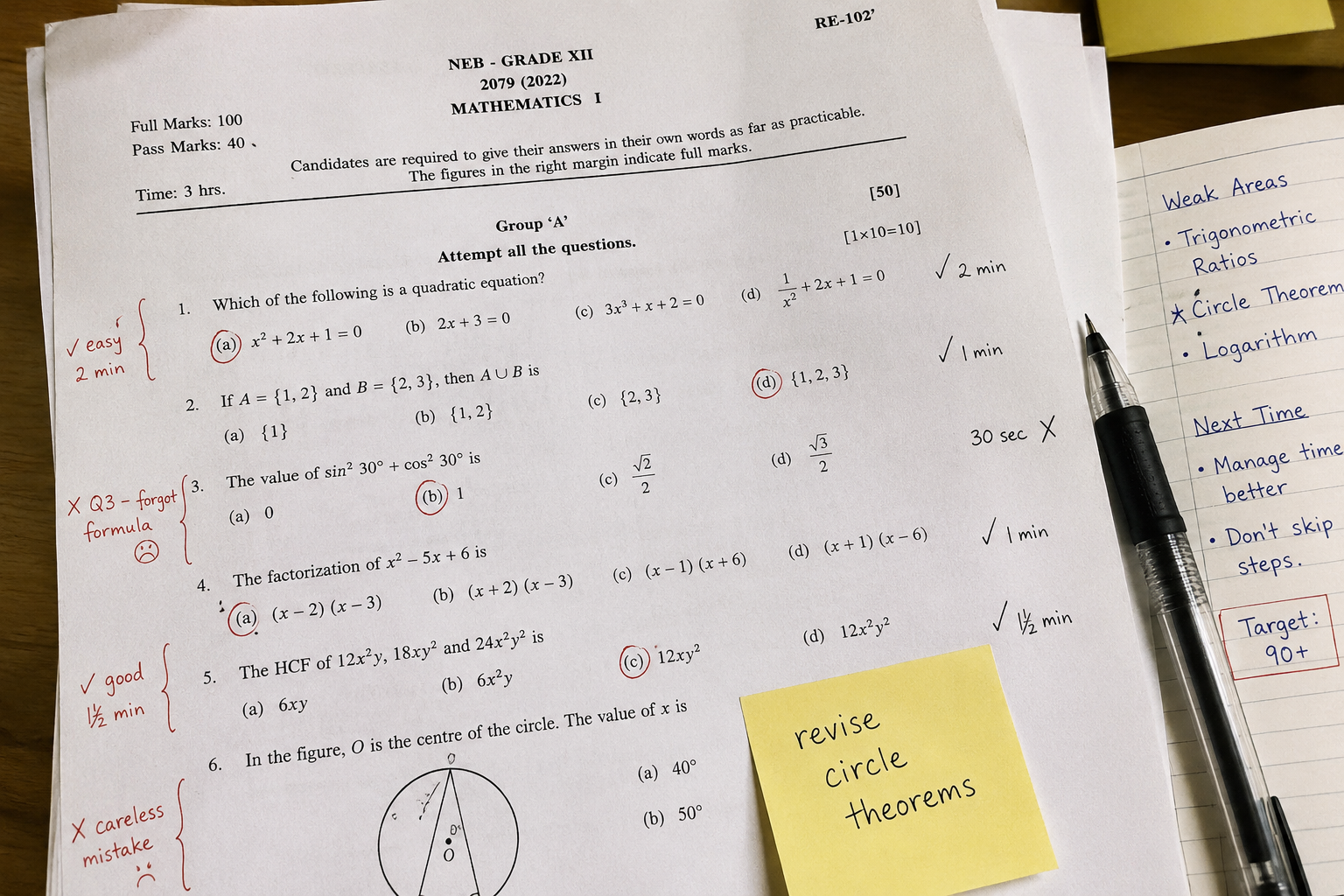
Past SEE and NEB examination papers are among the most valuable study resources available - and many of them are freely available online.
Where to find them:
- The NEB website sometimes publishes question papers
- Various Nepal education Facebook groups and Telegram channels share past papers
- Some schools share collections of past papers with students directly
How to use past papers effectively:
- Do the paper under timed conditions - full exam time, no notes, no textbook
- Mark it yourself against the marking scheme (or ask a teacher to mark it)
- Identify exactly which question types you got wrong
- Study those specific types until you can answer them correctly
Past papers are most effective in the 2-3 months before exams. Earlier than that, you may not have covered enough of the syllabus to make them useful.
Telegram and YouTube for Nepal Exam Communities
There is a significant ecosystem of Nepali students sharing resources on Telegram and Facebook:
What you will find:
- PDF textbooks and note collections shared by other students
- Compiled past papers for SEE and NEB
- Exam schedule announcements
- Student discussions about specific topics
What to watch for:
- Not all shared notes are accurate - verify important facts against your textbook
- Some "predicted question" content on social media is unreliable
- Group chats can quickly become distracting - use them to get resources, not to spend time
The best use of these communities: access the resources (past papers, note PDFs), then leave the group chats and study.
Google Classroom and Microsoft Teams
If your school uses Google Classroom or Microsoft Teams for homework and communication, these platforms have specific features that help with learning:
For homework submission: Submitting in Google Classroom maintains a digital record of what you submitted and when. You cannot claim you submitted something if there is no record.
For teacher feedback: Comments in Google Classroom or Teams are preserved. You can go back and read the feedback your teacher gave on your previous assignment before starting the next one.
For accessing class materials: Many teachers post notes, slides, and supplementary materials. Check regularly - not just when assignments are due.
If your school uses both a dedicated student portal (like Gurukul) and Google Classroom, understand which one is the official system for homework submission and grades. Using the wrong one means your work may not reach your teacher.
Avoiding the Distraction Trap
Every one of these digital tools exists on the same device as Instagram, TikTok, WhatsApp, and YouTube entertainment content. This is the central challenge of digital learning: the same screen that makes you more effective at studying also makes distraction immediately available.
What actually works:
Single-purpose sessions: When you sit down to use Vidya for studying, have only Vidya open. Not YouTube, not social media, not your messaging apps. If you need to look something up on Google, do it, get the information, and close the tab.
Time blocking: Set a timer for 25-30 minutes of focused study. When it goes off, you get a short break (5 minutes). Then repeat. This is the Pomodoro technique - it works because it makes focus finite and manageable.
Phone in another room: If your phone is nearby during study time, you will check it. If it is in another room, checking it requires getting up - which is enough friction to prevent most impulse checking. During study sessions, put the phone elsewhere.
Use a separate device if possible: If your school has a tablet or computer provided for learning, use it only for school. If you use your personal phone for everything, create a clear "school apps" folder and full-screen those during study time.
Building a Personal Learning System
The students who get the most from digital tools are not the ones who use the most tools. They are the ones who use a small number of tools consistently and purposefully.
A simple effective system for a Nepal school student:
Daily: Check the student portal (homework, attendance, announcements). Do assigned homework. Use Vidya for any concepts that are unclear.
Weekly: Review what you covered that week. Identify what is still unclear. Create summary notes for topics you have now finished.
Monthly: Do a practice test or past paper question set for each subject. Check your attendance percentage. Review marks from any internal assessments.
Before exams (2-3 months out): Start full past papers under exam conditions. Prioritize topics where past papers show weakness.
Studying Online When the Power and the Signal Are Not Reliable
Most guides to online learning quietly assume constant electricity and a stable connection. A large number of students in Nepal have neither, and advice that ignores that is advice for somebody else. This is one face of what is usually called the digital divide, and it is not solved by trying harder - it is solved by planning around it.
Split your work into connected and offline queues. Decide in advance which tasks need a connection and which do not. Asking an AI tutor, downloading past papers, watching an explanation - connected. Working problems, writing answers, self-testing from flashcards, reading a downloaded PDF - offline. Then do each in its window rather than discovering at 8pm that everything you planned needs data you do not have.
Download in the good window, study in the bad one. When you have power and signal, pull down what you will need: the PDF, the video, the past paper. Treat it like fetching water before the tap goes off.
Keep an offline default. The moment the power cuts should trigger a known, immediate alternative - a stack of past papers on paper, a set of question cards, a page of maths problems. Students who have not decided this in advance simply stop studying, and the cut becomes an hour lost instead of an hour redirected.
There is a hidden advantage here worth naming. Offline work is inherently active - you are producing answers - while most online study is inherently passive. Students forced to build an offline routine often end up doing more of the retrieval practice that actually moves grades than students with perfect connections who spend the evening watching videos.
Data, Cost and Studying on a Phone
For many students the phone is not a secondary device, it is the only device. That changes what a sensible setup looks like.
Video is the expensive thing. A single hour of streamed video can cost more data than a week of everything else. Download over Wi-Fi wherever you can, and drop the quality deliberately - a maths explanation at 360p is exactly as useful as one at 1080p, and costs a fraction of the data.
Text and PDFs are nearly free by comparison. A past paper is a few hundred kilobytes. A curriculum document is a couple of megabytes. If data is tight, weight your study towards reading and problem-working rather than watching.
Ask questions in batches. An AI tutor session where you work through eight saved-up questions costs a fraction of eight separate sessions spread across a day, and it is a better habit anyway because it forces you to attempt things before asking.
Typing long answers on a phone is genuinely hard. Do not fight it. Write essays and long-form answers on paper - which is what the exam requires anyway - and use the phone for checking, testing and looking things up.
Judging Whether an Online Resource Is Any Good
The internet has more study material for Nepali students than any one person can use, and a meaningful share of it is wrong, out of date, or aimed at a different syllabus. Four questions sort most of it quickly.
Does it match your board and your year? A brilliant explanation of a topic that is no longer in the CDC curriculum is worth nothing to you. Notation differs too - a method taught in an Indian or international video may be perfectly correct and still not be what your marker expects to see.
Who made it, and can you tell? Anonymous PDFs circulating on messaging apps are the least reliable material in wide use. A named teacher, a school, a government body or an established open educational resource project is a different proposition. Khan Academy is excellent for the underlying concepts in Maths and Science, provided you accept it is not aligned to your syllabus and use it for understanding rather than exam technique.
When was it made? Curricula change. A "SEE guide" from six years ago may describe an exam structure that no longer exists.
Does it ask anything of you? A resource that only explains is a resource you consume. A resource that sets questions is one you practise with. Prefer the second, and where you cannot find one, generate the questions yourself or ask an AI tutor to.
The Hardest Part Is Not Finding Material
Every student who has looked has found that the material exists. Very few finish it.
The skill that online learning actually demands is self-directed learning - deciding what to study, in what order, and continuing when nobody is checking. A classroom supplies that structure for you. A browser tab does not, and the absence is why so much saved material is never opened again.
Three things supply the missing structure cheaply:
A written plan for the week, made on Sunday. Not "study Science online" - "watch the refraction video, then do the ten questions at the end of the chapter, Tuesday evening". Decisions made in advance survive tired evenings; decisions left to the moment do not.
A finish line for each session. Watching until you get bored is not a session. Watching until you can answer five questions on it is.
Someone who will ask. A classmate you report to weekly, or a parent who asks what you covered. External accountability is the cheapest substitute for a teacher, and it works precisely because it is mildly uncomfortable to admit you did nothing.
The Bottom Line
Digital learning tools give Nepal's students access to resources that were previously only available to students with expensive tutors or access to well-resourced schools. That access is valuable - but only if the tools are used purposefully.
The tool is not the point. The learning is the point. A student who uses two digital tools consistently and well will outperform a student who uses eight tools inconsistently and poorly.
Start with your student portal, add Vidya for stuck points, use YouTube for concept context when needed, and past papers for exam practice. That is enough to make a significant difference.
The Gurukul student portal brings together your homework, attendance, exams, and AI tutoring in one place - the single hub for your school life. Sign in to your account →